Job description extraction
Auto Pulls the job description straight off the page you're viewing — no copy-paste.

ResumeMapper extracts job descriptions from the job page you're viewing, compares them with your base resume, and generates a tighter, more relevant resume for that role with AI. It can also write a matching cover letter for this job.
Full-stack engineer with product-facing delivery experience, strong TypeScript and React fundamentals, and a track record building scalable customer workflows...
Auto Pulls the job description straight off the page you're viewing — no copy-paste.
Reframes your real experience around the target role — never invents achievements.
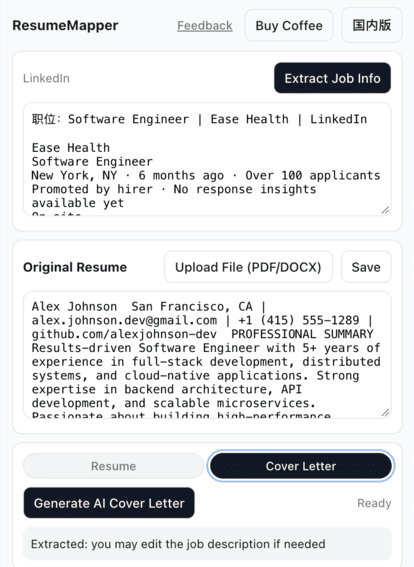
A matching cover letter from the same job description, with an editable letterhead.
Classic Corporate, One-Page Compact or Editorial Elegant — pick before you export.
'Minimal', 'Balanced', and 'Full rewrite' — you decide how much the AI is allowed to change.
Clean DOCX and PDF, plus a match score showing the keywords you hit and missed.
Your base resume and last results stay in your browser. Only anonymous feature counters are stored server-side. Privacy Policy
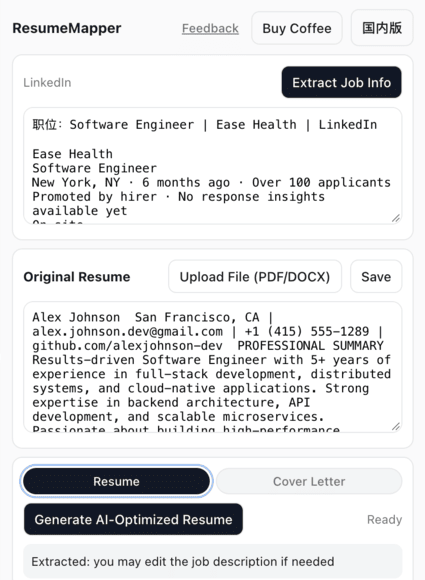
Visit any job posting on LinkedIn, Indeed, Boss直聘, 智联招聘, 51Job, or your target company's own career page.
ResumeMapper reads the current page and pulls out the job requirements for you.
Upload or paste your base resume (only need to do at first time)
Choose a styling and rewrite intensity, click confirm, then it generates a role-specific Resume or Cover Letter rewrite.
Review the output, edit if needed, then export as DOCX or PDF.
Yes. A Cover Letter tab sits next to the Resume tab, generates a letter from the same job description and your original resume, and exports to DOCX or PDF.
Rewrite intensity is the setting that decides how much the AI is allowed to change your resume. You pick it before you generate, and it sets how far the rewrite goes. We have three options to choose from: 'Minimal', 'Balanced', and 'Full rewrite'.
LinkedIn, Indeed, Boss直聘, 智联招聘, 51Job, plus any company career page with a structured job description.
Exports use clean, standard structure — plain headings, no text boxes or multi-column layouts — so applicant tracking systems can parse them. The app also shows a match score with covered and missing keywords.
Yes — both the resume and the cover letter are editable in place. Export to DOCX and edit in Word or Google Docs, or export straight to PDF for submission.
Only the AI rewrite step sends your base resume and the job description to our AI backend for processing. We don't store your data either — your data stays on your device afterwards.